Guide
AI Agent Cost: What You Pay Per Run and Why It Grows
An agent's bill is not a price per request. It is the sum of every step it takes, and each step re-reads everything before it.
By Token Spiral · Updated
A chatbot answers once and is billed once. An agent calls the model in a loop: plan, call a tool, read the result, decide again. Every turn of that loop is a separate billed model call, and every call re-sends the conversation so far. So the honest answer to "what does an AI agent cost?" is a formula, not a number: cost per run = the sum of every step's tokens, times your model's rates, plus whatever the tools charge, multiplied by how many runs you do.
This guide walks through that formula, shows why it grows faster than the number of steps, and lists where to check the prices that go into it.
What you are billed for
Model providers bill agents the same way they bill any API call: by tokens. What differs is how many calls one task makes and how large each call gets.
- Input tokens. Everything sent to the model on a step: the system prompt, the tool definitions, the user's request, and the full history of earlier steps, including every tool result. In an agent, this is usually the largest line on the bill.
- Output tokens. What the model writes back: its reasoning text, its tool calls, its final answer. Major providers price output tokens higher than input tokens.
- Reasoning tokens. Models that think before answering bill those hidden thinking tokens too, typically as output tokens, even when you never see them. A reasoning model on every step of a loop can cost far more than its visible output suggests.
- Cached input. Providers that support prompt caching bill input they have already seen at a reduced rate. More on this below.
- Tool costs. Search APIs, code sandboxes, browsers, vector databases and third-party APIs your agent calls are billed by their own vendors, per call or per unit of usage.
- Everything around the loop. Retries after a failed tool call, evaluation runs, and the tracing you keep to debug it all.
The per-step math
Each step sends the fixed part of the prompt (system prompt and tool definitions) plus everything the run has added so far. Call the fixed part F tokens, and say each step adds about A tokens of tool output and model text to the history. Then:
| Step | Input tokens sent on that step |
|---|---|
| 1 | F |
| 2 | F + A |
| 3 | F + 2A |
| n | F + (n − 1)A |
Add the rows up and a run of n steps sends n × F + A × n(n − 1) / 2 input tokens in total. The first term grows with the number of steps; the second grows with its square.
A worked example, with illustrative numbers rather than measured ones: a 3,000-token system prompt and tool list, and 1,000 tokens added per step.
| Steps in the run | Total input tokens |
|---|---|
| 5 | 25,000 |
| 10 | 75,000 |
| 20 | 250,000 |
| 40 | 900,000 |
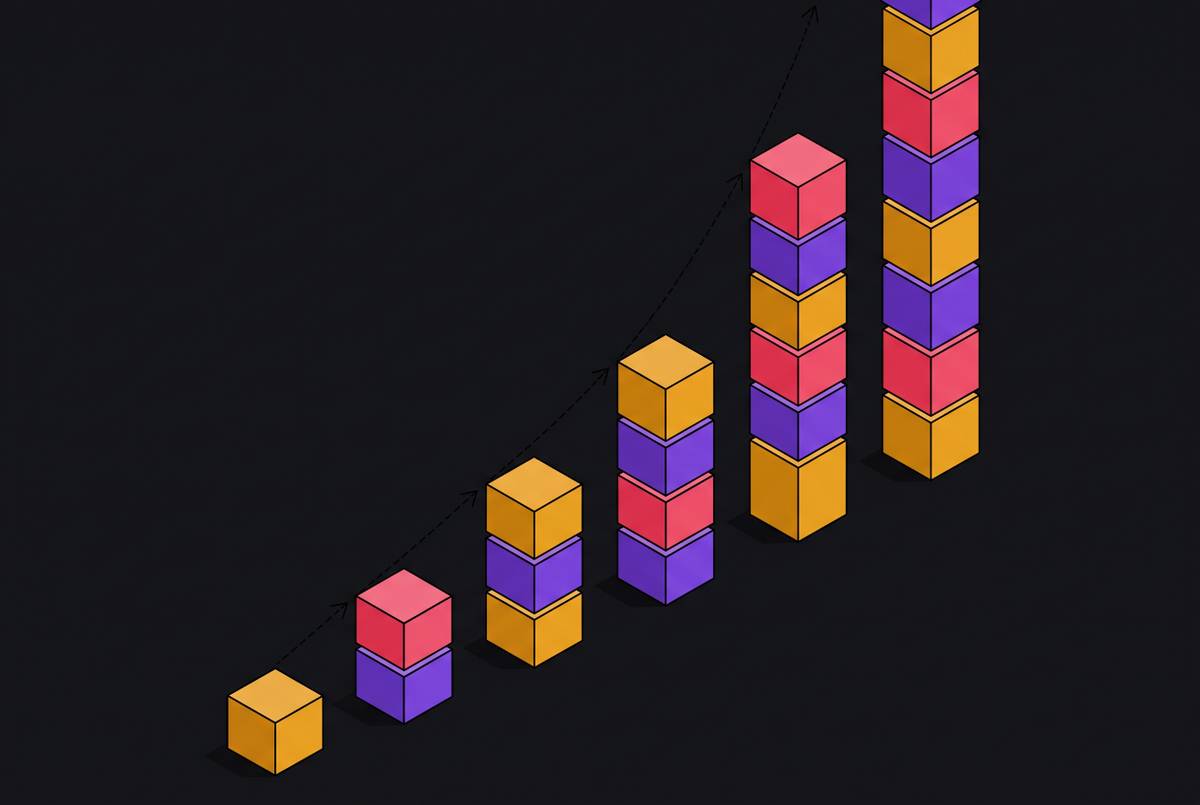
Doubling the run from 10 to 20 steps more than triples the input tokens. Going to 40 steps multiplies them twelvefold. That is the token spiral: an agent that loops a few extra times does not cost a little more, it costs a lot more. Quadratic token cost growth in multi-step agent runs goes through this in depth.
To turn tokens into money, divide each total by one million and multiply by your model's price per million tokens for that kind of token, then add the output tokens at the output rate.
Where to check current prices
Model prices change often and differ by model, region, context length and tier, so this page does not quote them. Use the provider's own page, on the day you estimate:
- OpenAI: openai.com/api/pricing
- Anthropic: anthropic.com/pricing
- Google Gemini API: ai.google.dev/gemini-api/docs/pricing
- Amazon Bedrock: aws.amazon.com/bedrock/pricing
- Azure OpenAI: Azure OpenAI Service pricing
For what you have actually spent, the provider's usage dashboard is the source of truth. For what one run spent, read the usage object every API response returns: it reports input and output tokens per call, and, depending on the provider, cached and reasoning tokens separately.
How to estimate your agent's cost
Estimates built from guesses about step counts are usually wrong, because the expensive runs are the ones nobody planned for. Estimate from runs instead:
- Trace a sample of real runs. Record every model call with its
usagenumbers and every tool call. A few dozen representative tasks is a start. - Look at the distribution of steps per run, not the average. Note the median and the slowest few percent. Loops and retries live in the tail, and the tail is where the quadratic term bites.
- Price each run from its own token counts. Multiply input, cached input, output and reasoning tokens by their rates, and add tool charges.
- Multiply by volume. Runs per day times the cost of a typical run gives the baseline; the cost of your worst runs times how often they happen gives the risk.
- Re-measure after every prompt, tool or model change. A longer system prompt or a chattier tool result raises the cost of every step of every run.
What makes agent costs spiral
- Loops that never converge. An agent that retries the same failing tool call, or re-plans without making progress, keeps paying for an ever-longer history. These runs often end "successfully" and never raise an error. See retry loop taxonomies and silent infinite loops vs. visible crashes.
- Verbose tool results. A tool that returns a whole web page or a full database row set adds those tokens to every later step. See tool call amplification.
- Growing context. Every step's output becomes every later step's input. See compounding context windows across agent steps.
- A large model on every step. Routing, formatting and simple lookups rarely need the most capable (and most expensive) model in your stack.
How to bring the cost down
- Cap steps per run. Give every agent a hard limit: LangGraph's
recursion_limit, the OpenAI Agents SDK'smax_turns, or astopWhencondition in the Vercel AI SDK. Then decide what happens when a run hits it. Designing stopping conditions covers why the model's own "I'm done" is not enough. - Set a spend ceiling per run. Count tokens as the run goes and stop it, or hand it to a person, once it passes a budget. See agent spend budgets and per-run cost ceilings and token budget enforcement in the Vercel AI SDK.
- Cache the fixed part of the prompt. Keep the system prompt and tool definitions identical and at the start of every call so the provider can serve them from its cache. OpenAI caches long prompt prefixes automatically; Anthropic caches what you mark, and charges more to write the cache and less to read it. See prompt caching effects on agent loop cost.
- Trim what goes back into the history. Summarise or truncate tool results before they enter the context, and drop steps the agent no longer needs.
- Use a smaller model where it is enough. Send routing and extraction steps to a cheaper model and keep the larger one for the hard decisions.
- Batch work that is not interactive. OpenAI and Anthropic both offer batch APIs at a discount for jobs that can wait for results.
Watch cost per run, not cost per month
A monthly bill tells you that spend went up, not which runs caused it. Track tokens and steps for every run, alert when a run lands far outside the usual range, and look at what the outliers did: a run that cost many times the median is usually a run that looped, and sometimes one that also gave a wrong answer. Production monitoring platforms that catch silent agent failures compares tools that do this.
Questions people ask
- How much does an AI agent cost to run?
- It depends on the model's per-token prices, how many steps a run takes, how large the prompt and tool results are, and what the tools themselves charge. Measure the token usage of real runs, price them with your provider's current rates, and multiply by your run volume. There is no honest single figure that applies to every agent.
- Why does my agent cost more than the same prompt in a chatbot?
- An agent makes a model call on every step and re-sends the whole history each time, so a ten-step run pays for the system prompt ten times and for early tool results again on every later step. Total input tokens grow roughly with the square of the number of steps.
- What is the fastest way to stop runaway agent costs?
- Put a hard limit on steps per run and a token or spend budget per run, and alert on runs that exceed the usual range. Then look at those runs: most runaway costs come from loops that never make progress.
- Where do I find current model prices?
- On each provider's pricing page: OpenAI, Anthropic, Google's Gemini API, Amazon Bedrock and Azure OpenAI each publish theirs. Prices change, so check on the day you estimate.